
React Native vs. Flutter: Which Should You Choose for Your App?
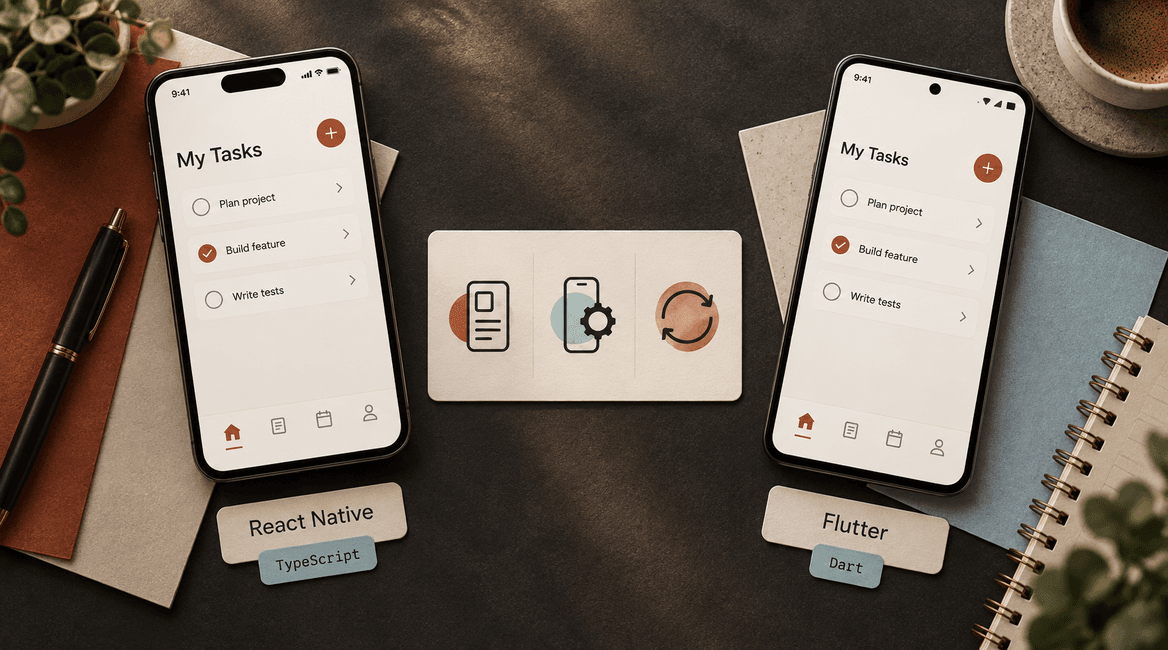
React Native and Flutter can both support a polished iOS and Android app. The useful question is which one fits your product, team, and hardest technical requirements. A framework comparison based only on popularity or a simple screen demo leaves out most of the work that determines delivery risk.
React Native uses React with JavaScript or TypeScript. Flutter uses Dart and its own widget system. Those differences affect how developers build interfaces and connect to platform features, but neither framework makes app-store releases, accessibility, or device testing disappear.
This guide explains how to choose between them using a practical proof of concept, a dependency review, and a maintenance plan. It is intended for founders and product teams evaluating a development proposal, not a claim that one framework wins every project.
Test the feature most likely to break your plan before comparing how quickly each framework can draw a login screen.

Compare the work your app actually needs
Understand the development model
React Native brings React's component approach to mobile development, using native platform capabilities and components rather than rendering an ordinary website inside a browser view. Familiarity with React helps, but existing web page markup and CSS do not automatically become mobile screens. Its official introduction is a useful starting point for assessing the team's JavaScript foundation.
Flutter builds interfaces from Dart widgets and uses its rendering architecture to provide substantial control over their appearance. It offers platform-aware widgets and access to native functionality, but the team must still decide how navigation, inputs, and other interactions should behave on each platform. See Flutter's architecture overview for the underlying model.
For a buyer, the implication is simple: ask how the proposed approach supports the actual interface and integrations. Avoid treating “native” or “one codebase” as a complete explanation of quality, performance, or effort.
Start with the people who will maintain it
An experienced React and TypeScript team may become productive in React Native quickly, especially when it can reuse non-UI logic or existing API types. That advantage becomes weaker if nobody has shipped a mobile release, debugged a native build, or dealt with device permissions.
A team with strong Flutter experience may deliver and maintain a Dart application more effectively than a nominally larger JavaScript team learning mobile fundamentals. Ask who will handle operating-system updates, framework upgrades, build failures, and production incidents. Request examples of maintained applications, not only initial launches.
If your development partner will hand the app to an internal team, include that team in the choice. The ability to hire and retain people who can support your specific codebase matters more than a generic claim about the size of a programming-language community.
Compare interface requirements with a representative screen
Build a screen with real complexity: a long list, images, validation, keyboard interactions, loading states, and large text. Use the same design and data in each candidate. A static mockup cannot reveal scrolling problems, awkward focus behavior, or layouts that fail when translated.
If the product uses highly customized interactions or animation, prototype those directly. If it needs conventional platform behavior, test navigation gestures, date inputs, selection, and assistive technology on both platforms. Both frameworks can produce good results; the amount of custom work depends on the design and implementation.
Do not assume that visual consistency means every control should behave identically. Android back navigation and iOS navigation gestures may require different treatment even when the overall product looks the same.
Audit native integrations before choosing
List the features that depend on the device or an external native SDK: camera scanning, Bluetooth, background location, payment terminals, video calls, authentication, notifications, or specialized hardware. For each, identify a maintained package or the native code that must be written.
Check support for your required operating-system versions, current framework architecture, licensing, issue history, and release activity. A package existing in a registry is not enough evidence that it supports your exact use case. Read its limitations and test the critical path on physical devices.
Both stacks allow platform-specific work. React Native documents platform-specific code organization, while Flutter provides platform channels for communication with native code. That flexibility is valuable, but custom integration work still needs a budget and someone capable of maintaining it.
Run a small proof of concept that reduces risk
Use the hardest workflow as the test
Consider a hypothetical field-service app that scans equipment labels, stores an inspection without connectivity, and uploads photographs later. The riskiest feature is not the settings screen. It is the combination of camera access, local persistence, interrupted uploads, and background behavior.
Ask the team to demonstrate that workflow in a release build. Start on an ordinary supported phone, deny and then restore camera permission, interrupt the connection, close the app, and reopen it. Record what is complete, what is pending, and whether the user can recover without losing work.
For another product, the right prototype may be a video call with an incoming phone-call interruption or a complex chart with large datasets. Choose the test from your requirements rather than repeating someone else's benchmark.
Measure comparable builds
Compare release builds on the same devices and network conditions. Review startup time, responsiveness during the main task, memory pressure, battery-sensitive work, accessibility, and crash behavior. Development builds and tiny demonstrations can distort the comparison.
Agree on acceptable behavior before looking at results. “The inspection list remains usable with the expected data volume” is a product requirement. “Framework A is always faster” is not. Keep the test inputs and implementation assumptions visible so a performance claim can be reproduced.
Evaluate the delivery system too
Have the team explain how a change becomes a signed build for testing and then a store release. Confirm who owns developer accounts, signing access, repositories, build configuration, and secrets. A framework does not remove the need for dependable release operations.
Inspect the update plan for dependencies and platform requirements. Include a small upgrade exercise if the app depends on a complex native SDK. Finding that an essential package blocks updates before launch is much less expensive than discovering it when a store deadline is approaching.
Before you launch: a practical checklist
- The team has identified the hardest device integration and tested it on real hardware.
- Representative screens have been reviewed with large text, screen readers, and keyboard input.
- The comparison uses release builds and the same workload on the same devices.
- Every critical dependency has an owner, compatibility check, and fallback plan.
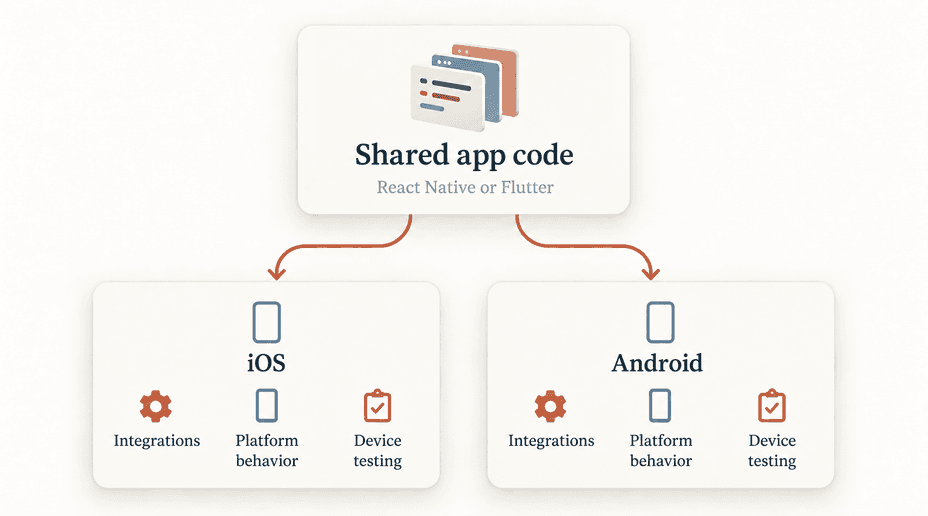
- The proposal separates shared work from iOS-specific and Android-specific tasks.
- Developer accounts, repository access, signing, and build ownership are documented.
- Framework and operating-system upgrades are included in the maintenance plan.
- The people who will maintain the app have participated in the decision.
When each choice is a reasonable fit
React Native deserves serious consideration when your team is strong in React and TypeScript, the necessary integrations are supported, and a prototype confirms the mobile experience. Existing web expertise can help with state management, APIs, and application logic, even though the interface requires mobile work.
Flutter deserves serious consideration when the team is productive in Dart, the widget approach suits the product, and the required native integrations are proven. It can be a good match for a strongly designed interface, provided the team still tests platform conventions and accessibility.
Separate native iOS and Android implementations may be worth evaluating when unusually deep platform integration dominates the product. A web-based approach may be sufficient when the product mainly delivers content or straightforward forms. The best decision can be outside the original two options.
Compare full delivery cost
Ask for an estimate covering design, backend work, integrations, testing, store preparation, monitoring, and maintenance. A shared codebase can reduce duplicated implementation, but a fixed “percentage saved” is not credible without a scope and assumptions.
Require the proposal to name likely exceptions: a device SDK available on only one platform, a custom native module, or a screen with different behavior. Those exceptions help you judge the estimate. For the broader product decision, read web app versus mobile app.
FAQs
Is React Native the same as wrapping a React website?
No. React Native uses a different mobile interface layer. Some JavaScript logic may be reusable, but browser-specific components, CSS, and assumptions about storage or navigation need review. A web wrapper is a separate architecture described in our website-to-mobile-app guide.
Does Flutter mean we never need Swift or Kotlin?
No. Packages can cover many needs, but specialized platform features or unsupported SDKs may require native implementation. Ask who will handle that work before choosing the framework.
Which framework gives us better performance?
The answer depends on your workload and implementation. Test the interactions your users actually perform in comparable release builds. Do not turn a benchmark from an unrelated app into a universal purchasing rule.
What should we request before signing a development contract?
Ask for a short decision record: requirements, critical dependencies, proof-of-concept results, tradeoffs, and maintenance ownership. Discuss your mobile app with DevConex to turn the framework choice into a concrete delivery plan.