
Customer Portal Development: What to Include First
A customer portal earns its place when it makes a recurring task easier: finding the current document, checking a request, supplying missing information, or completing the next step. A sign-in screen and a collection of links are not enough reason for customers to change their habits.
Start customer portal development with the questions your team answers repeatedly and the work customers struggle to complete. Then build a first version around a small number of useful tasks, with the staff workflow and access rules needed to support them.
This guide uses a hypothetical business-services portal to make the decisions concrete. Customers need to submit requests, see progress, and retrieve completed documents. The same planning approach can apply elsewhere, but the right scope depends on the actual service.
The best first portal makes the next step obvious to the customer and assigns someone inside the business to keep it moving.

Design a Portal Around the Customer’s Task
Choose a reason customers will return
Review a sample of recent customer emails and support calls. Group requests such as “Where is my document?”, “What is the status?”, and “What do you need from me?” Then identify which questions can be answered reliably through self-service and which still need a conversation.
Choose one or two journeys for the first release. For our example, those are submitting a service request and retrieving its completion document. Record the existing handling process before setting improvement targets. If customers rarely repeat a task, a simpler form or secure document-sharing service may already be sufficient.
Show the next action before adding a dashboard
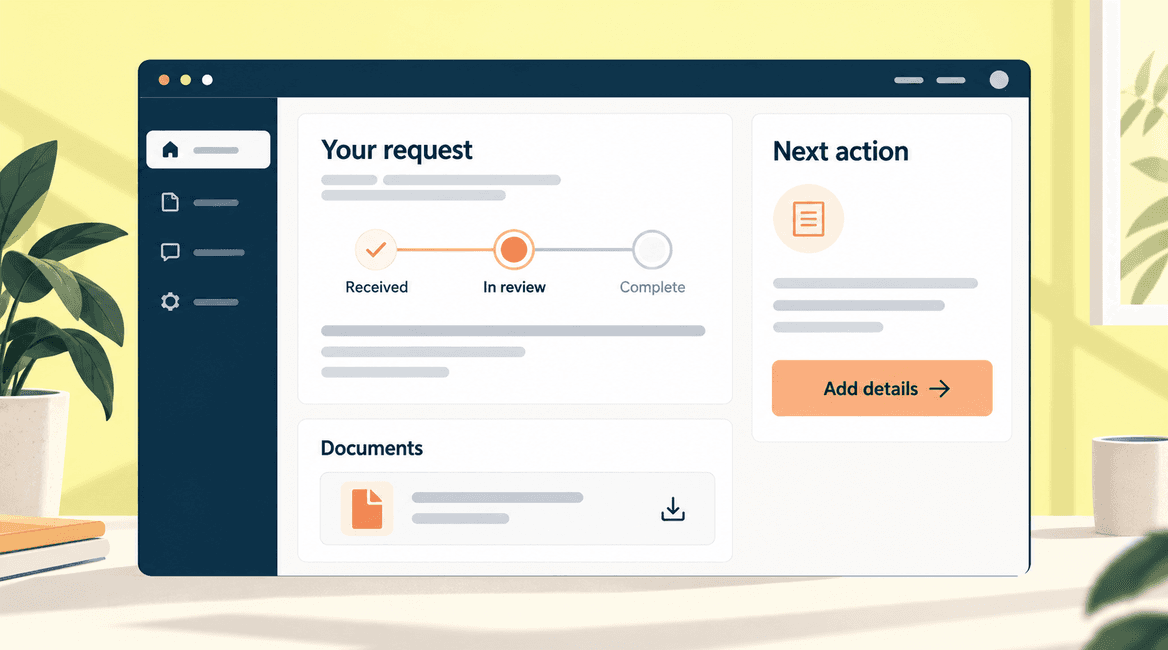
After sign-in, a customer should be able to tell what is happening and whether anything needs their attention. Lead with active requests, meaningful status, and a clearly labeled action such as “Provide missing details” or “View completed document.”
Avoid filling the first screen with charts simply because they make the portal look substantial. If a number does not help the customer make a decision, it can wait. Give customers a reliable route to contact the team when the displayed information does not answer their question.
Include the staff side in the first scope
Someone must receive each request, review it, ask for missing information, and keep the status current. Define those actions alongside the customer screens. Otherwise you can build a polished portal that merely adds another queue for staff to check.
For the pilot, a coordinator might review new requests each working day and assign an owner. The portal should make unassigned or waiting work visible. Define what happens when the usual owner is absent. If a separate system already manages the work, decide whether the portal reads from it or creates a second record that someone must reconcile.
Give statuses a meaning customers understand
Use a small, clear set of statuses. In the example, “Received” means the request has been saved, “In review” means someone is assessing it, “Waiting on you” identifies missing information, and “Complete” means the result is available. Avoid making a progress bar imply a guaranteed completion date.
Agree who changes each status and what triggers a notification. A useful update explains the change and the customer's next step. If no new action is required, say so. Keep internal discussion separate from messages the customer can see.
Make documents easy to identify and retrieve
Define who uploads documents, which version is current, and which customers can view or download them. Use clear document names and dates. If an outdated document remains available, label it so a customer does not mistake it for the current result.
If uploads are included, define allowed file types and sizes, validation, storage, and handling of rejected files. Consider whether customers need to upload files in the first release or only download documents supplied by staff. Those are different workflows with different requirements.
Design account access around real relationships
A business customer may have several people using the portal. Decide whether invitations belong to an organization, who can invite colleagues, and who can remove a former employee. Avoid making everyone share one login simply to simplify the first implementation.
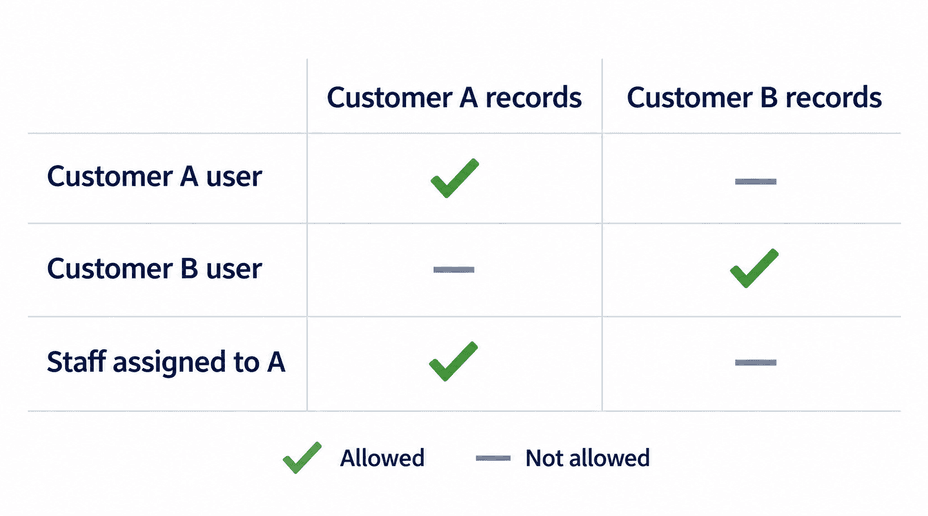
Write an access matrix before building. A customer from Organization A should see its permitted records, not Organization B's. A staff member may need access only to assigned customers. Separate access to records from permission to manage users or change account settings.
OWASP's authorization guidance distinguishes proving a user's identity from deciding what that user may access. It recommends limiting privileges, denying access by default, and checking permissions on every request. For a portal, that means protecting individual records and downloads as well as pages. Hiding a link is not an access control.
Ask the team to test cross-customer access explicitly, including direct links to documents and records. Also cover invitation expiry, account recovery, and removal of access. Use an established authentication approach and choose additional protections, such as multi-factor authentication, according to the information and actions the portal exposes.
Decide which system owns each piece of information
If the portal connects to a CRM, job-management tool, or document system, identify the source of truth for each field. Customer contact details might belong in the CRM while request status belongs in the service system. Decide whether customers can edit those details and where corrections go.
Define how quickly changes need to appear and what the customer sees when an integration is delayed. Do not display stale information as if it were current. A last-updated indication or a clear unavailable state can be more useful than a confident but incorrect answer.
Keep the first release focused
For the example portal, the initial scope could include invitation and sign-in, a request form, a customer request list, staff review, status updates, controlled document downloads, and notifications. Include permission checks, account recovery, error handling, and support responsibilities from the start.
Defer payments, real-time chat, advanced reports, automated scheduling, and a native mobile app unless one is essential to the chosen journey. Consider existing customer-portal products before commissioning a custom build. A supported configuration may meet the need without a new application; custom work should address a demonstrated gap.
Pilot with real tasks and representative customers
Invite a small group that includes different roles, devices, and levels of familiarity with your process. Ask them to complete the actual task: accept an invitation, submit a request, respond to a question, and retrieve a document. Observe where they hesitate or contact staff for help.
Keep a supported alternative while the pilot is being evaluated. Record completion, failed invitations, abandoned requests, permission issues, and the staff work required to keep information current. A customer who logs in once has not necessarily adopted the portal.
Customer Portal First-Version Checklist
- Choose one or two recurring customer tasks and document the current process.
- Make the next customer action clear on the first screen.
- Include staff review, assignment, absence coverage, and status ownership.
- Define customer organizations, users, invitations, and access removal.
- Specify who can view each record, download each document, and manage users.
- Identify current document versions and any required upload controls.
- Assign a source of truth and failure behavior for every integration.
- Test permissions, account recovery, notifications, and mobile task completion.
- Pilot with representative users and measure task completion and staff effort.
Judge the Portal by the Work It Replaces
Compare the pilot with the original process. Can customers find the right document without an email? Do staff spend less time answering status questions, or more time updating a second system? Are requests easier to follow, including those waiting for information?
Use those observations to choose the next improvement. If users cannot understand a status, adding more features will not fix the problem. If the portal works but invitations go unused, investigate whether customers know why the new process is useful and whether the invitation reaches them at the right moment.
Tell DevConex which customer task you want to simplify to discuss whether an existing tool, an integration, or a custom portal fits—and what belongs in the first release versus later.
FAQs
What is the difference between a customer portal and a website?
A public website mainly helps visitors find information or begin a relationship. A customer portal usually gives identified users access to records and actions specific to their account. The important difference is the personalized workflow and its permissions, not whether the interface looks like a website.
Does a customer portal need a mobile app?
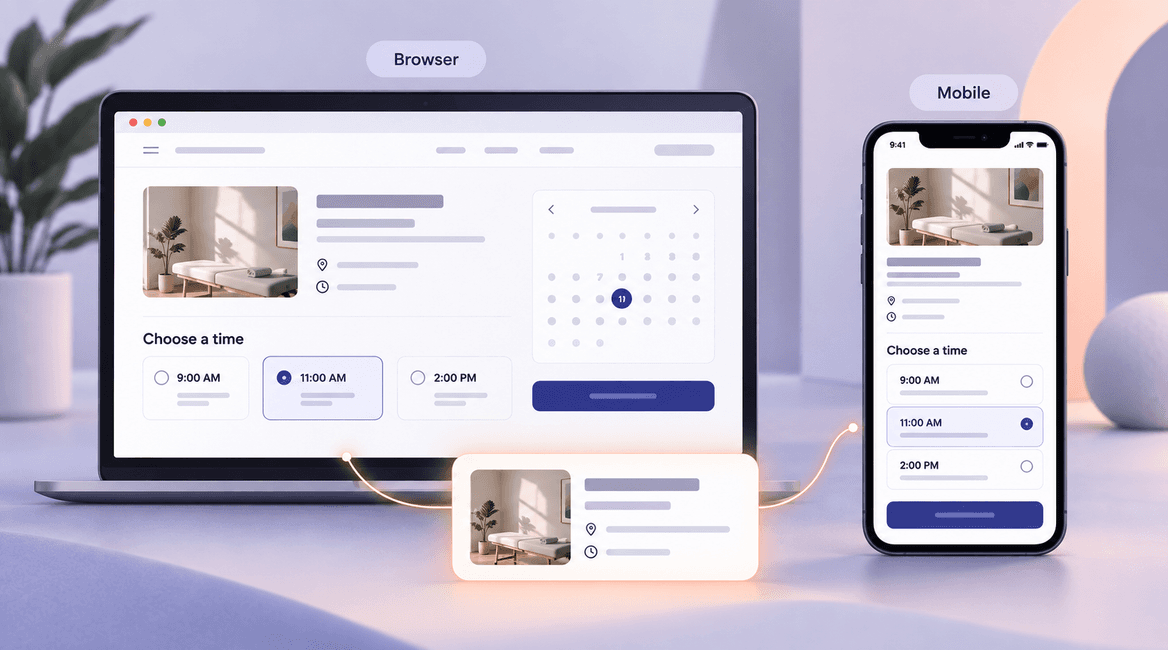
Not necessarily. A responsive web portal can support many customer tasks on phones and computers. Consider a separate app only when usage and device requirements justify the additional implementation and maintenance work.
Should we include payment features in the first version?
Include them if payment is necessary to complete the selected journey. Otherwise a supported existing payment process may be sufficient initially. Adding payments introduces more states, exceptions, reconciliation, and support work than adding a button alone.
Can we start without integrating every back-office system?
Yes, if the manual steps are explicit, manageable, and assigned to someone. Decide which information must stay consistent and how it will be checked. Do not hide duplicated staff work when evaluating whether the pilot is successful.
How do we decide whether custom development is justified?
Test existing products against your real tasks, access rules, and integration needs. Document the essential gaps and the ongoing cost of workarounds. A custom portal is worth considering when those gaps are meaningful enough to support the cost of building and operating it.