
How to Build a Mobile App That Works Offline
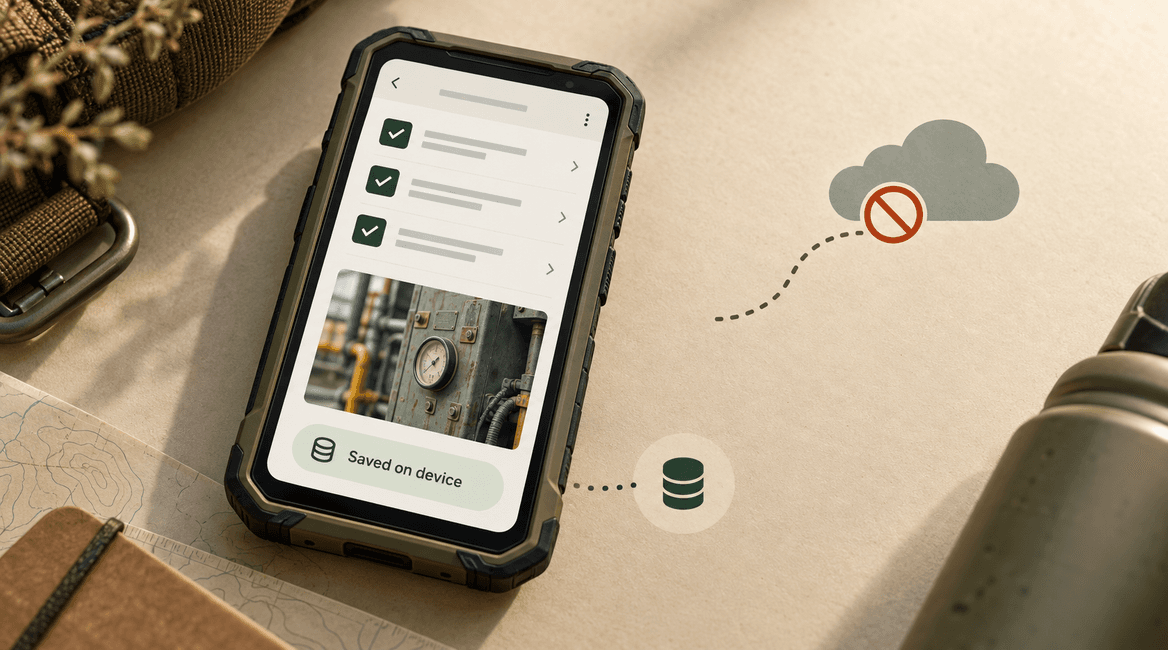
An offline mobile app should let people complete useful work when connectivity is missing or unreliable. That requires more than caching a few screens. The app needs to know what is stored locally, which changes are waiting to upload, and what happens when someone else changes the same record.
This guide follows a hypothetical inspection app used by technicians in buildings with poor reception. A technician downloads assigned jobs, completes a checklist, adds a photograph, and sends the work when connectivity returns.
The architecture described here is a practical starting point. The right storage and synchronization tools depend on the app, but the product decisions about saved work, conflicts, and recovery remain necessary whichever library you choose.
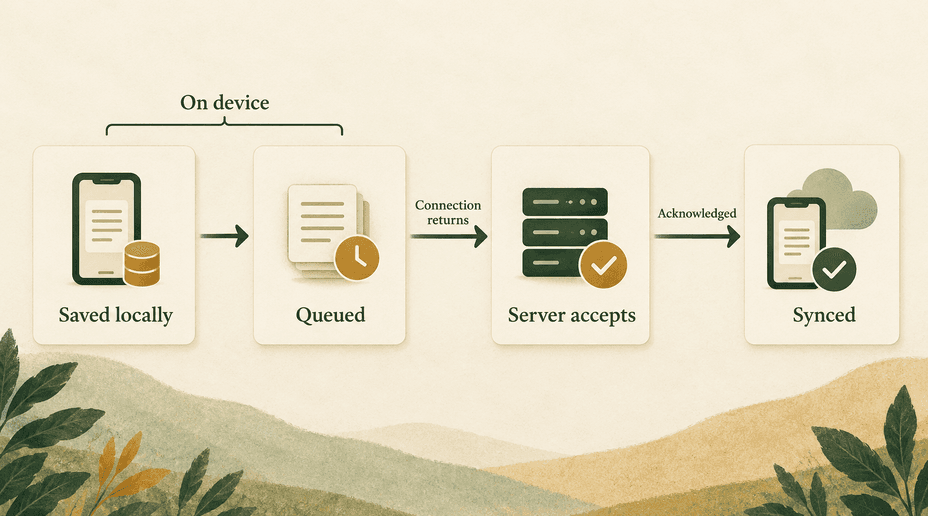
An offline save is a promise about the device. A synced confirmation is a promise about the server. The interface must tell the difference.

Define the offline contract before choosing storage
Choose which tasks work without a connection
List what users can read, create, edit, and finalize offline. In the inspection app, downloaded jobs and reference instructions can be viewed; checklist answers and photographs can be saved locally. Final submission may remain pending until the server validates the complete inspection.
Some actions should require connectivity. Accepting a newly assigned job, checking current inventory, or confirming a scarce booking may need a live authoritative decision. Do not show a success message for an operation that the server may later reject unless the interface clearly describes it as provisional.
Also define the limits: which jobs must be downloaded in advance, how much storage is available, and how long local data remains accessible. A device cannot display records it never received.
Make local data the interface's working source
Use persistent local storage appropriate to the data instead of keeping unsent changes only in memory. The interface should be able to reopen a saved inspection after the process is terminated. Store enough metadata to distinguish downloaded records, local edits, and server-confirmed versions.
Android's offline-first architecture guide describes local and network data sources and the need for synchronization. The important product outcome is that a slow network does not erase or indefinitely block work that can safely happen locally.
Keep the local database and its migrations under version control. An app update must not silently discard pending work. Plan recovery for storage errors and exhausted disk space; a save that failed locally must never be labeled successful.
Download a useful working set
Before a technician leaves reliable coverage, download assigned jobs and necessary reference material. Display whether preparation is complete, including photographs or documents needed on site. A job list loading successfully does not prove every attachment is available offline.
Keep downloads scoped to the user's authorization and storage budget. Let users understand what is available, refresh it deliberately, and remove old material according to policy. Avoid downloading an entire organization simply because the app needs a few assigned records.
Save changes durably and synchronize deliberately
Write the change and queue entry together
When the technician edits a checklist, commit the local change and its pending operation in one local transaction where the storage system supports it. Otherwise, a crash between those writes can leave a visible edit with no upload job or an upload job without the intended data.
A queued operation should identify the operation, target record, account, intended change, base server version, and retry state. Generate the operation identifier once and preserve it across retries. Do not create a fresh identity every time the network returns.
Model the queue as persistent application data, not a temporary list in a screen component. The app should show pending work after restart and provide a path to inspect or recover failed items.
Make retries safe on the server
Suppose the server saves a checklist but the connection drops before the acknowledgement reaches the phone. The device still sees a pending operation and will retry. The server needs a deduplication rule so that replaying the same operation does not append the same note or create a second inspection.
Scope operation identifiers appropriately and record the outcome durably with the mutation. On a retry, return the prior result when the operation has already completed. Keep this record long enough to cover the realistic retry window. A client-side check alone cannot protect the server from duplicate effects.
Some changes are naturally idempotent, such as setting a field to a particular value, but even those may conflict with newer edits. Deduplication and conflict detection solve different problems; implement both where needed.
Separate upload progress from synchronization success
An inspection may contain structured answers and large photographs. Track attachment upload state separately from the inspection's final acceptance. If a photograph fails halfway through, the app should retry that attachment without duplicating the whole inspection.
Use stable attachment identifiers and check integrity where the upload service supports it. Do not delete the only local copy before server acknowledgement and the product's retention rules permit cleanup. Show whether the inspection is saved locally, uploading, waiting for review, or fully synced.
Use network signals as hints
A device can report connectivity while the API is unreachable, authentication has expired, or a captive portal blocks traffic. Attempt the actual operation and classify the result. Retry temporary failures with a bounded delay; send permanent validation failures to a visible resolution state.
Use platform-supported background scheduling where appropriate, but do not promise immediate execution after connectivity returns. Provide foreground synchronization and an understandable manual retry path. A user should not need to guess whether closing the app will abandon their work.
Decide what happens when edits conflict
Compare versions before overwriting
Imagine a technician downloads inspection version 7 and edits it offline. A supervisor updates the same inspection on the server, creating version 8. When the device sends its change, include the base version so the server can detect that the record moved on.
For independent fields, a carefully designed merge may be safe. Two people adding separate notes can often create separate entries. Two people changing the same safety result should not silently overwrite each other. The resolution rule needs to reflect the meaning of the data.
Avoid making device-clock time the only authority. Clocks can be wrong, and the latest timestamp is not always the correct business outcome. Use server versions and explicit rules to determine when user review is needed.
Make conflicts resolvable
Show the local value, the current server value, and enough context to make a decision. Preserve the local draft while the conflict is unresolved. If only a supervisor may resolve it, provide a handoff instead of trapping the technician behind a permanent error.
Treat deletion as a change that must synchronize too. A job removed on the server should not reappear simply because an old device uploads a cached copy. Define whether pending notes are rejected, archived, or moved into a review process when the parent record disappears.
Before you launch: a practical checklist
- Offline reads, edits, and actions requiring a live connection are explicitly defined.
- Required jobs and attachments can be downloaded and verified before leaving coverage.
- Local changes and pending operations survive process termination and app updates.
- Server retries use stable operation identities and durable duplicate protection.
- Record versions detect conflicts without trusting device clocks alone.
- Attachments have independent progress, retry, and cleanup behavior.
- The interface distinguishes local saves, pending uploads, conflicts, and confirmed sync.
- Logout, expired access, storage exhaustion, and deleted records have recovery paths.
Protect data on shared or lost devices
Separate local data by account and use platform-appropriate protection for sensitive records and credentials. Decide what happens to unsent work during logout before implementing a blanket cache deletion. The user may need to synchronize or deliberately discard it, subject to the application's access policy.
An offline device cannot instantly learn that server access was revoked. Define an offline-access window and the behavior when it expires. Recheck authorization when syncing, and never assume that prior access makes a new write valid forever.
Test failures at the moment they matter
Start with a downloaded job and a written expected result. The following scenarios help expose real data-loss risks; they should be executed against the implementation rather than treated as proof that a library handles everything automatically.
- Save a checklist with no network, terminate the app, and reopen it: the local change and pending state remain.
- Drop the response after the server commits a change: retry returns one logical outcome without duplicating the record.
- Edit the same field on a second device: the documented conflict policy runs and neither draft disappears silently.
- Interrupt a photograph upload: retry resumes or safely restarts that attachment without duplicating the inspection.
- Expire the session during sync: work remains pending and can resume after authorized sign-in.
- Fill local storage: the app reports a failed save rather than displaying a false success state.
- Upgrade with queued work present: migrations preserve the operation and its account association.
FAQs
Is caching enough to make an app work offline?
Caching can support reading previously loaded content. Offline editing also requires durable writes, a queue, synchronization, and conflict rules. Treat those as separate capabilities in the scope.
Should every action work offline?
No. Some actions require a current server decision or access to data the device does not have. A clear online-only action is better than a misleading offline confirmation.
Can a sync library handle this for us?
It can supply useful mechanisms, but you still need to understand its conflict policy, permissions, deletion behavior, schema migrations, and recovery limits. Test those choices with your own workflow and failure scenarios.
How should we scope the first version?
Choose one valuable offline journey, such as completing an assigned inspection, and prove it survives interruptions. Discuss your offline mobile workflow with DevConex before expanding into every possible disconnected action.